
Microsoft Copilot Studio: create your own enterprise AI agents
Microsoft Copilot Studio is the platform that allows you to design, train, and integrate custom agents for your business processes. Connect your data, automate key tasks, and extend the capabilities of Microsoft 365 through generative AI and advanced Power Platform workflows
What is Microsoft Copilot Studio
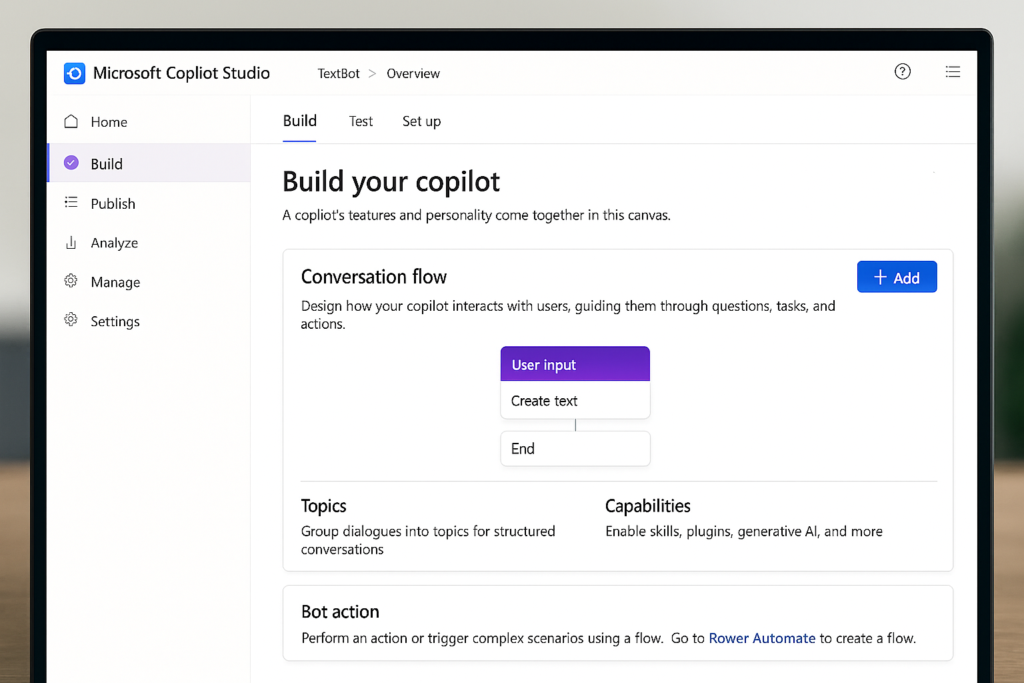
Copilot Studio is the Microsoft tool that allows you to create advanced conversational agents tailored to your organization's needs. It runs on Power Platform and allows you to:
- Designing conversations with generative AI.
- Integrate internal data using connectors and custom actions.
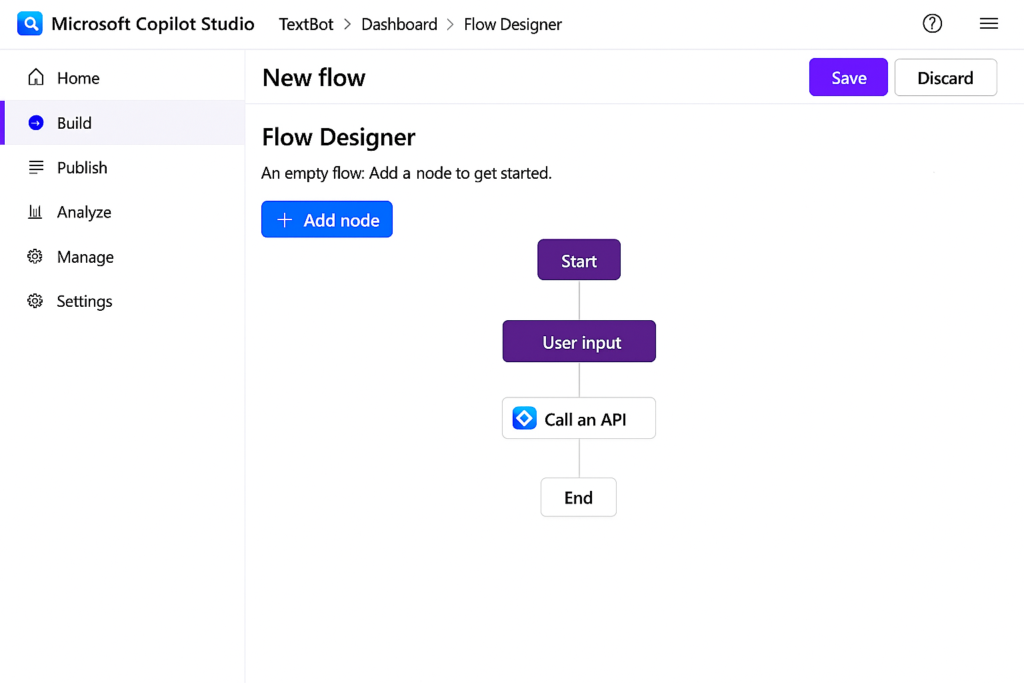
- Automate end-to-end processes with Power Automate.
- Publish agents to Teams, web, applications, and corporate channels.
- Control security, governance, and auditing from a single environment.
It is the natural evolution of Power Virtual Agents and expands its capabilities with generative AI, plugins, actions, and more powerful flows.
What is Copilot Studio used for
Business process automation
Create agents capable of handling requests, inquiries, incidents, approvals, reservations, and repetitive tasks. Reduce times and relieve pressure on teams.
Extend Copilot for Microsoft 365
Design custom actions for Copilot to interact with your systems: ERP, CRM, SharePoint, databases, Power BI, or internal applications.
Internal employee assistants
Agents for HR, IT, finance, internal support, onboarding, policies, and corporate documentation.
Advanced customer chatbots
Assistants connected to CRM, knowledge bases, catalogs, ticketing systems, and web portals.
Integration with Power Automate and Power Apps
Agents for HR, IT, finance, internal support, onboarding, policies, and corporate documentation.
Benefits
Immediate low-code automation
Streamline processes and free up resources without major developments.
Native integration with Microsoft 365
Teams, Outlook, SharePoint, OneDrive, Power BI and more.
Artificial Intelligence applied to your data
Define what sources your copilot uses: documents, URLs, internal APIs, or databases.
Multichannel deployment
Publish your Copilot where your users need it: Teams, web, or apps.
Security and compliance
Corporate governance, auditing, access control, and regulatory compliance within the Microsoft ecosystem.
Real scalability
Create a copilot and replicate it across new departments, countries, or business units without redesigning from scratch.
Key features of Copilot Studio
Conversational designer with generative AI
Custom actions and plugins to integrate internal APIs
Prebuilt connectors with Microsoft 365 and Power Platform
Training on documents, URLs, and knowledge bases
Advanced flows with Power Automate
Integrated analytics and testing
Simple post in Teams or Web
Version control, roles, and security
Frequently asked questions about Copilot Studio
Copilot is Microsoft's AI assistant. Copilot Studio is the tool for creating and customizing your own agents.
Yes. It is part of Power Platform and integrates with Dataverse and Power Automate.
Yes. You can use standard connectors or create custom actions and plugins via API.
In Microsoft Teams, web pages, internal applications, and other corporate channels.
Yes. Copilot Studio is its natural evolution, with generative AI and expanded capabilities.
Examples of agents that can be created with Copilot Studio
Areas: sales, marketing, customer service
What it does:
- Handle inquiries from the web, forms, or Teams.
- Answer questions about products, services, or processes.
- Qualify leads and route them to sales or support.
Value: better experience, 24/7 customer service, and higher conversion.
Areas: the entire organization
What it does:
- Answer questions about internal procedures, tools, or policies.
- Access corporate documentation (SharePoint, OneDrive).
- Reduce repetitive inquiries to IT, HR, or administration.
Value: more employee autonomy and less operational burden.
Areas: sales, commercial management
What it does:
- Answer questions about customers, opportunities, and pipeline.
- Summarize interactions and next steps.
- Help prepare sales meetings.
Value: faster and better-informed sales teams.
Areas: management, finance, marketing, operations
What it does:
- Answer questions about data and KPIs in natural language.
- Generate executive summaries and explanations of results.
- Query information from Excel, Power BI, CRM, or ERP.
Value: faster decisions based on real data.
Areas: operations, finance, administration
What it does:
- Execute automated workflows (create tasks, send notifications, update systems).
- Connect with Power Automate, Dynamics, ERP, or databases.
- Reduce manual tasks and errors.
Value: operational efficiency and time savings.
Areas: support, customer service, IT
What it does:
- Handle frequent incidents and common questions.
- Check case status, SLAs, or documentation.
- Escalate to a human agent when necessary.
Value: better service without increasing the team.
Areas: Human Resources
What it does:
- Answer questions about vacations, policies, onboarding, or training.
- Guide new employees in their first days.
- Automate recurring queries.
Value: More strategic HR, fewer repetitive tasks.
Areas: consultancy
What it does:
- Summarize meetings, agreements, and tasks.
- Answer questions about the status of projects.
- Centralize scattered information between documents and Teams.
Value: better coordinated and more visible projects.