

Dynamics 365 Customer Service
El software de atención al cliente que mejora la experiencia del cliente
¿Qué es Dynamics 365 Customer Service?
Dynamics 365 Customer Service es un software de automatización para dar servicio de atención al cliente. Junto a Dynamics 365 ofrece un conjunto de funcionalidades que están centradas en mejorar la experiencia de cliente. Estas herramientas se ponen a disposición de los empleados para que sean capaces de aportar un soporte resolutivo y eficiente.
Dynamics 365 Customer Service proporciona una plataforma unificada que automatiza todo tipo de operaciones de atención al cliente, aumentando la productividad del equipo y la satisfacción del consumidor.
Por otro lado, unificar el conocimiento, integrando todos los datos procedentes de la interacción con el cliente permite obtener análisis en paneles interactivos. Así, la toma de decisiones mejora y la satisfacción del cliente se incrementa.
Descarga la hoja de producto
Automatización del servicio al cliente con Microsoft
Benefits
Optimización del servicio
Prestar a los clientes un servicio excelente en el canal que prefieran. Así, es posible resolver los casos más rápido.
Servicio personalizado
Simplifica la ayuda ofreciendo un servicio personalizado relevante.
Mayor productividad
Haz que tus clientes sean capaces de encontrar las respuestas y deja que tus agentes se centren en casos más complicados, optimizando así la gestión de la relación con el cliente.
Adelántate al cliente
Aborda los problemas de forma proactiva detectando la intención y la opinión social de los clientes.
El cliente en el centro
Pon de manifiesto casos prácticos, preferencias y comentarios de los clientes.
Acceso a información
Proporciona orientación sobre los derechos y acuerdos de nivel de servicio.
Funcionalidades de Customer Service
Facilita el trabajo de tu equipo de atención al cliente
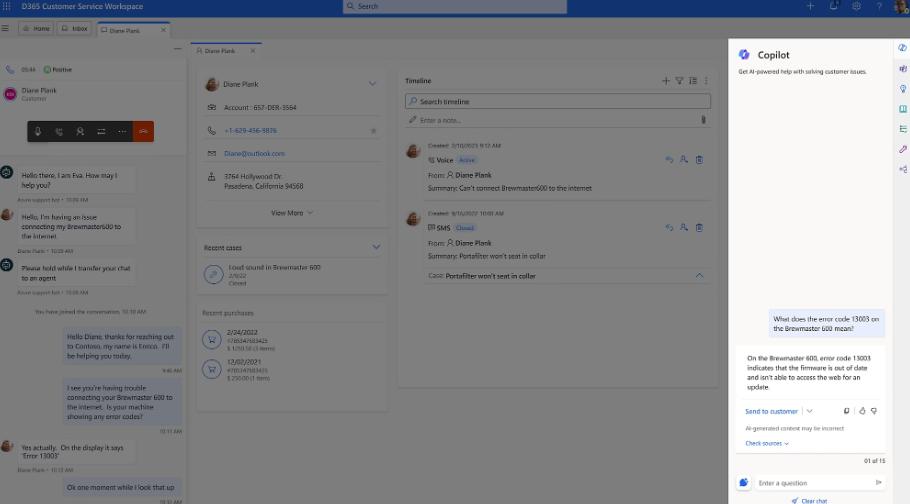
- Resuelve problemas rapidamente con Copilot
Copilot te ayuda a diagnosticar, solucionar problemas y redactar respuestas para los clientes ahorrando tiempo de tu equipo.
- Información en tiempo real
Ofrece información valiosa a tu equipo a través del análisis de sentimiento, traducciones, transcripciones y artículos de conocimientos recomendados por inteligencia artificial.
- Descubre la solución de forma automatica
Aumenta la resolución con la primera llamada clasificando de forma automática los casos y asignándolos al representante del servicio más adecuado.
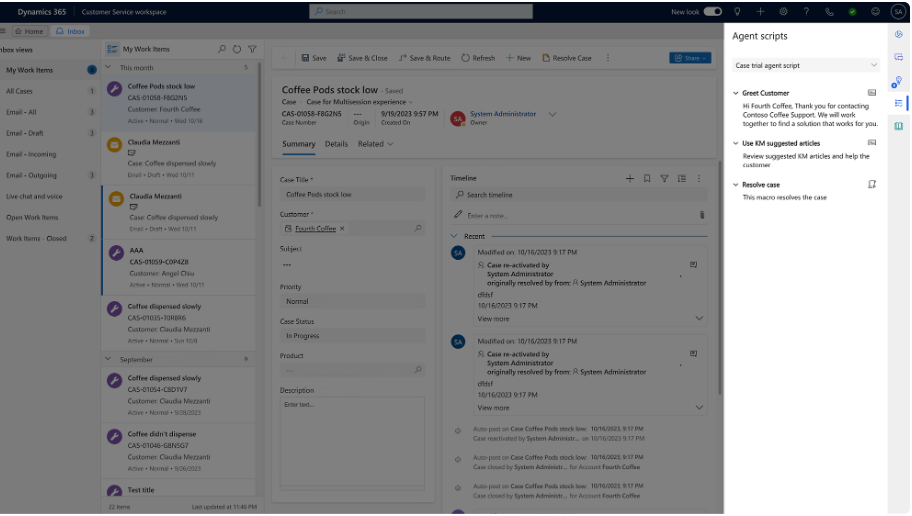
- Colaboración en Teams
Crea reuniones de colaboración para solucionar casos específicos.
Habilita el autoservicio
- Bots de chat con IA
Bots inteligentes y conversacionales para resolver problemas de los clientes en tiempo real con IA generativa. Según un estudio de Comm100, el chat en vivo ofrece una satisfacción global del 81% a los usuarios.
- IVR conversacional
Resuelva problemas rápidamente a través de interacciones similares a las humanas con respuesta interactiva de voz conversacional y con tecnología de IA generativa (IVR).
- Autoservicio con automatización
Capacidad de automatización tanto de las tareas cotidianas como de transacciones más complejas.
- Comunidad
Participa en portales personalizados de la comunidad para colaborar, compartir sugerencias y obtener información enriquecida de otros usuarios.
Optimizar las operaciones de servicio con Dynamics 365 Customer Service
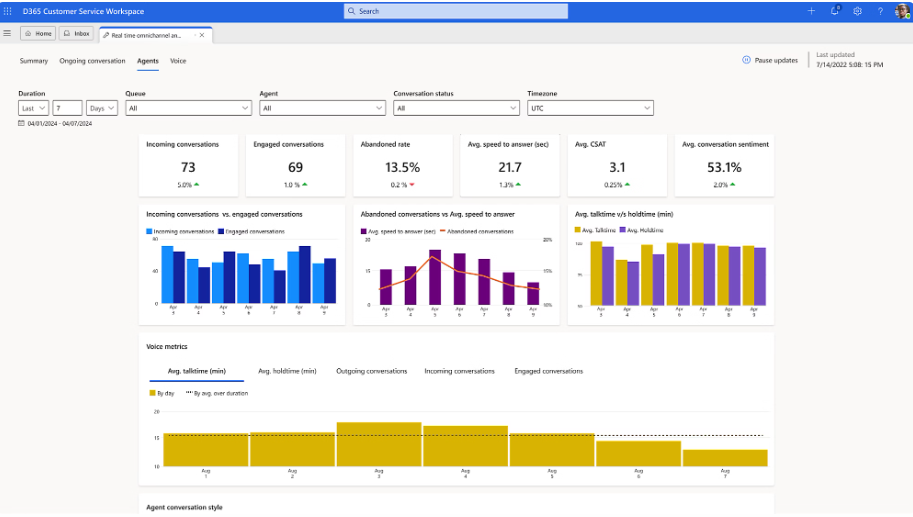
- Panel de información
Configura un panel informativo multicanal con conversaciones controladas por IA, análisis de canales e indicadores clave de rendimiento en un solo lugar. También permite detectar tendencias emergentes y posibles mejoras del servicio.
- Mayor eficiencia
En Dynamics 365 Customer Service es posible crear flujos personalizados para eliminar los procesos manuales y añadir conectores de datos personalizados.
- Planificación de recursos
Planifica el nivel adecuado de personal de atención al cliente en función a la estacionalidad, el número de casos previstos y el volumen de conversación con la característica de informe de previsión.
Llega a todos los clientes
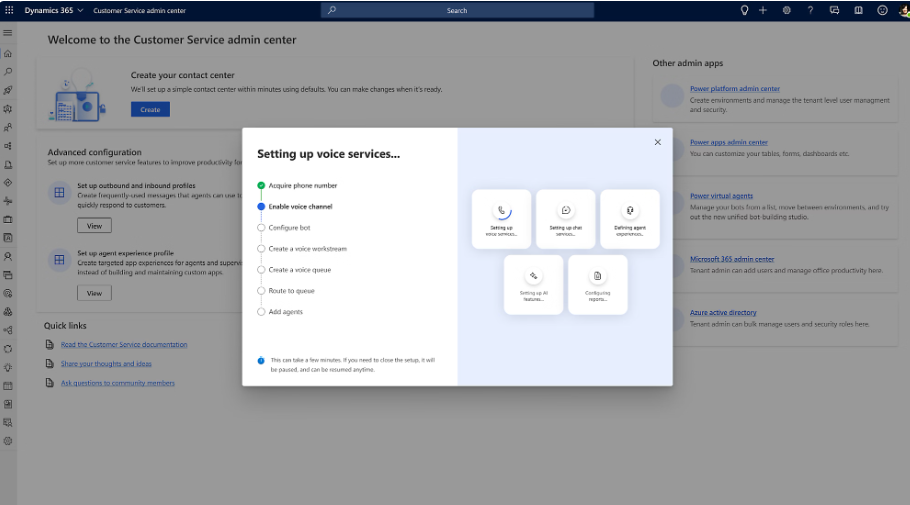
- Canales de voz
Permite la configuración de sistemas telefónicos. Según un informe prublicado por Capterra, un 50% de los usuarios sigue prefiriendo la atención telefónica.
- Participación digital
Utiliza distintos tipos de canales digitales: correos electrónicos, mensajes de texto, redes sociales y asistente virtual.
- Traducción en tiempo real
Facilita la comunicación con todos los clientes mediante la traducción en tiempo real.
- Enrutamiento por opiniones
Enruta al profesional de atención al cliente adecuado en fucnión de las necesidades concretas de cada cliente.
Novedades de Dynamics 365 Customer Service
Accede a contenido sobre la herramienta
Copilot en la atención al cliente
- Asistencia en tiempo real
Copilot ofrece ayuda instantánea a los usuarios para automatizar tareas repetitivas, obtener rápidamente información de los casos o resolver problemas con mayor rapidez.
- Sugerencias de respuestas y resúmenes
Los usuarios pueden generar respuestas para emails y crear resúmenes de los casos.
- Búsqueda contextual inteligente
Copilot puede buscar automáticamente en la base de conocimientos, artículos de soporte y registros anteriores para ofrecer información útil sin que los usuarios tengan que buscar manualmente.
- Análisis y recomendaciones
Análisis en tiempo real del rendimiento del servicio y sugenrecias de acciones proactivas basadas en patrones de comportamiento del cliente y datos históricos.
Integrations
Se integra de forma nativa con las herramientas de Power Platform, Microsoft 365, Microsoft Dynamics 365 Sales (CRM) y Copilot. Por otro lado, es posible ampliar y mejorar Business Central con la integración de apps para la gestión de impuestos, gestiones bancarias, necesidades de sector específicas, etc.
Power Platform
Para crear informes interactivos en Power BI, automatizar flujos de trabajo en Power Automate o conectar con portales de Power Pages.
Microsoft 365
Dynamics 365 Customer Service se conecta con aplicaciones de uso diario del ecosistema Microsoft como Outlook o Teams.
Microsoft Dynamics 365 (CRM)
La herramienta está creada en Dynamics 365 lo que permite poder acceder a los clientes de forma sencilla.
Copilot
Gracias a la IA, Dynamics 365 Customer Service dispone de funcionalidades que automatizan el trabajo diario.