
Copilot for Microsoft 365: the fastest and most efficient way to work with AI in Word, Excel, PowerPoint, Outlook, and Teams
Draft, analyze, summarize, transform data, and create complete documents with a single instruction. Copilot for Microsoft 365 combines advanced AI with your corporate data to accelerate your work, improve the quality of your deliverables, and free up hours each week.
What is Copilot for Microsoft 365
Copilot for Microsoft 365 is the artificial intelligence assistant integrated directly into the apps you use every day: Word, Excel, PowerPoint, Outlook, Teams, OneNote, and more.
It delivers immediate value because:
- Use the context from your emails, documents, meetings, and files.
- Understand natural language and execute complex tasks.
- Generate documents, analysis, pivot tables, and presentations from scratch.
- Summarize extensive information and highlight the most relevant points.
- Automate repetitive processes, allowing you to focus on strategic tasks.
It is AI applied to real work.
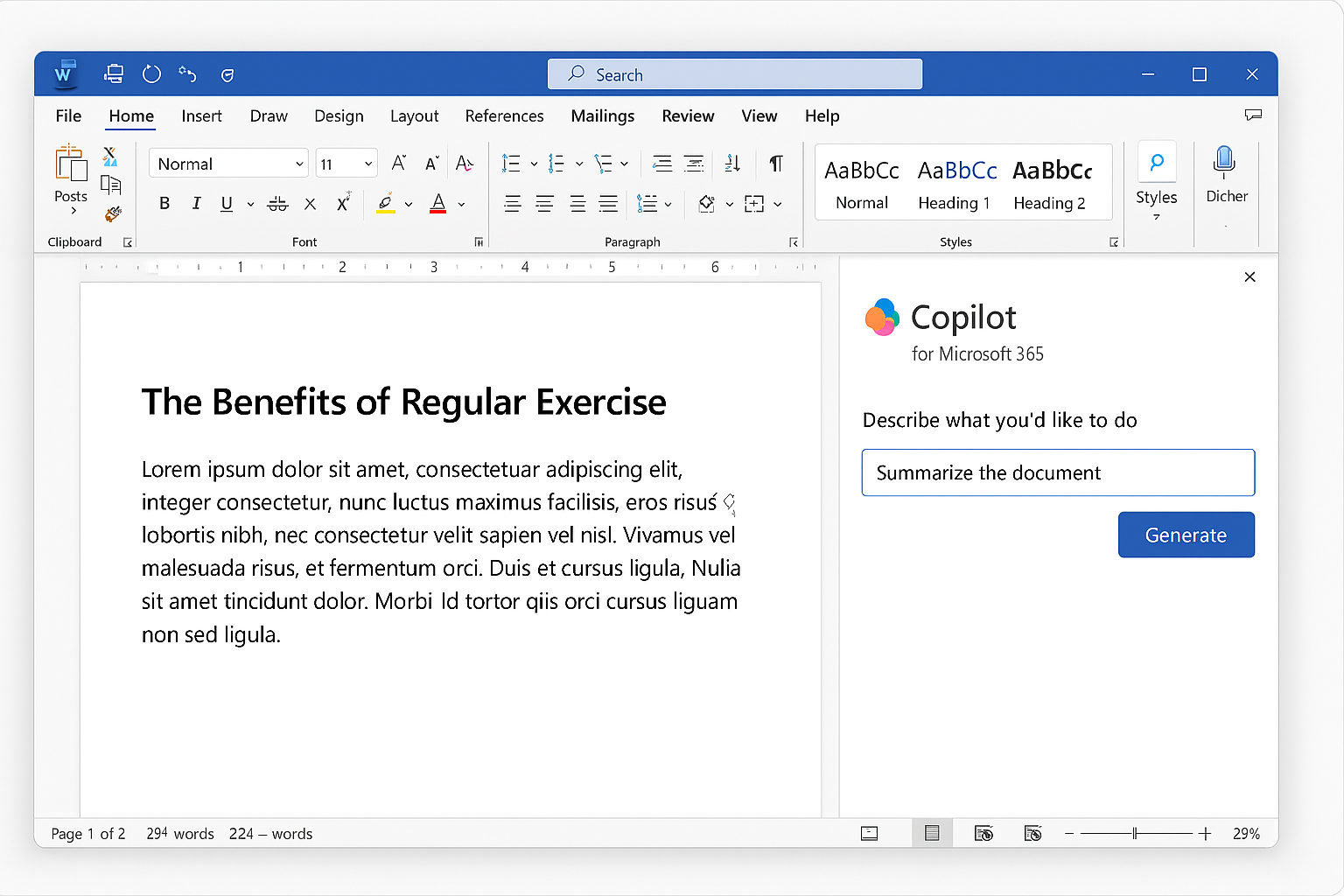
What Copilot can do in Microsoft 365
Copilot in Word
- Professional writing and rewriting.
- Drafting complete documents from just a few lines.
- Automatic summaries of long documents.
- Generation of alternative versions with different tones.
Copilot in Excel
- Advanced data analysis with natural language.
- Creation of models, tables, charts, and scenarios.
- Guided data cleaning and preparation.
- Generation of ready-to-present conclusions and insights.
Copilot in PowerPoint
- Complete presentations from a document or idea.
- Visual summaries, storytelling, and automated design.
- Adjustment of style, tone, structure, and length.
Copilot in Outlook
- Writing professional emails in seconds.
- Summaries of long threads to get straight to the point.
- Prioritization of important messages.
- Suggested response proposals and actions.
Copilot in Teams
- Meeting summaries, decisions, and next steps.
- Automatic schedule preparation.
- Recapitulation of conversations and attached documents.
- Quick access to relevant information during meetings.
Benefits
Time saving
Reduce hours of writing, analysis, and document preparation.
Quality and consistency
Clearer, more structured, and professional documents.
Better informed decisions
Data summary and analysis in seconds, without technical complexity.
Secure AI with your data
It runs within the Microsoft 365 environment, respecting permissions and governance.
Acceleration of key processes
More productive meetings, faster reports, clearer communications.
Frequently asked questions about Copilot for Microsoft 365
Copilot for Microsoft 365 uses your corporate data and integrates with Office apps; Copilot Chat is a general experience with limited access to your organization's context.
Yes. Copilot respects user permissions and does not use your data to train external models.
Copilot for Microsoft 365 requires a specific per-user license.
Highly recommended. The difference in productivity between trained and untrained users is very noticeable.
Yes, using Copilot Studio and custom actions.