Microsoft Dynamics 365 Field Service It is a Microsoft tool that manages the entire set of field service operations.
It includes service location management, customer assets, preventive maintenance, work order and resource management, product inventory, scheduling and dispatch, mobility, collaboration tasks, customer billing, and analytics.
That is to say, it is a tool that centralizes all aspects of field work organization and management. It achieves this by optimizing functions and, consequently, improving the performance and productivity of the company and its customer service. In addition, it provides a great capacity to react to any unforeseen event.
Discover everything you can achieve with Dynamics 365 Field Service
Benefits
What Microsoft Dynamics 365 Field Service can do for you
Optimized service scheduling
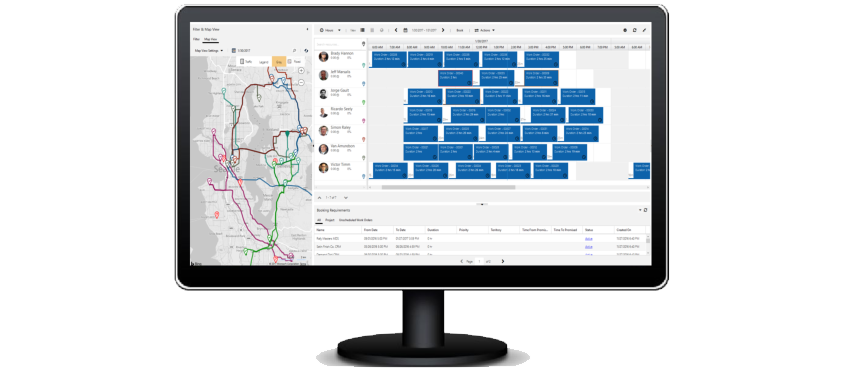
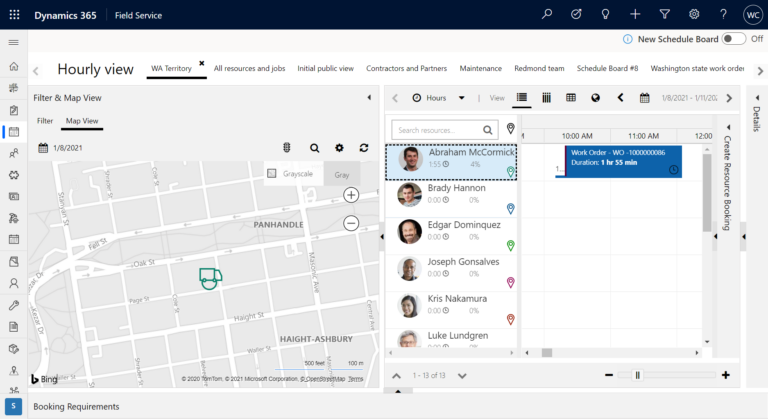
Optimize service scheduling by considering factors such as setting up an efficient route, resource skills matching, and travel time.
Improve real-time communication
Effectively coordinate collaboration among customer service, dispatch, field agents, and customers with real-time communication.
Capabilities for better incident resolution
A tool like Dynamics 365 Field Service offers you the necessary capabilities for better resolution of day-to-day incidents in field service operations.
Preventive maintenance
It features a preventive maintenance option that automatically generates work orders to ensure the equipment is always in proper condition for customer service. In other words, it anticipates potential setbacks or problems.
Inventory control
It allows the establishment of an inventory management system that controls storage levels in real time (including trucks in transit). In this way, it is possible to optimize inventory from the office.
Multi-device
Through its mobile app, it enables all field technicians to have immediate access to all information and changes in work orders in real time.
Main features of the functionality of Dynamics 365 Field Service
Custom field service
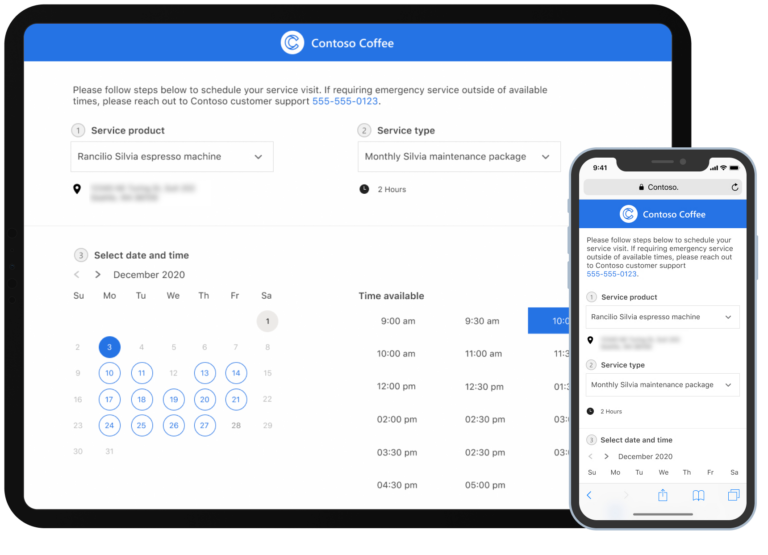
Self-service programming
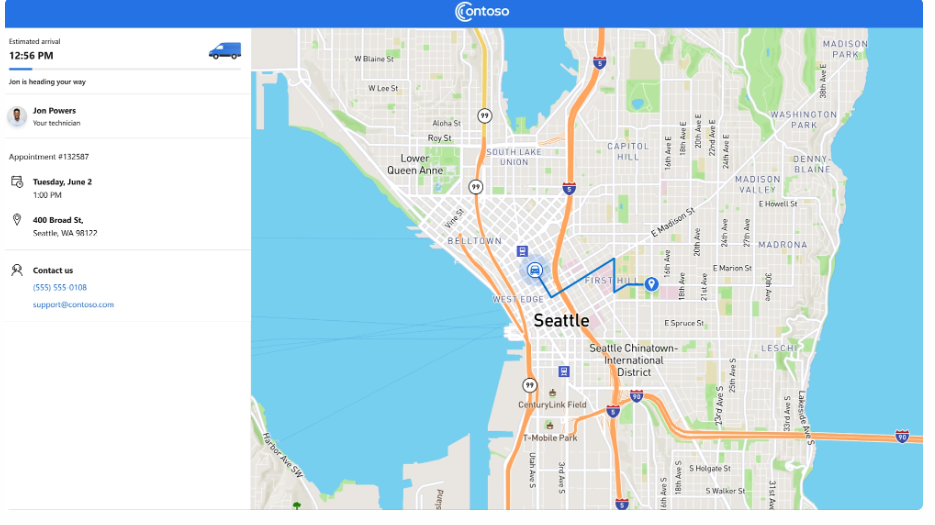
Creating a client portal provides real-time visibility into appointments.
Automated communication
Send service reminders and notifications to customers via email and text message.
Subsequent feedback
Send post-service surveys
Simplify the technical work
Pay attention to the interactions
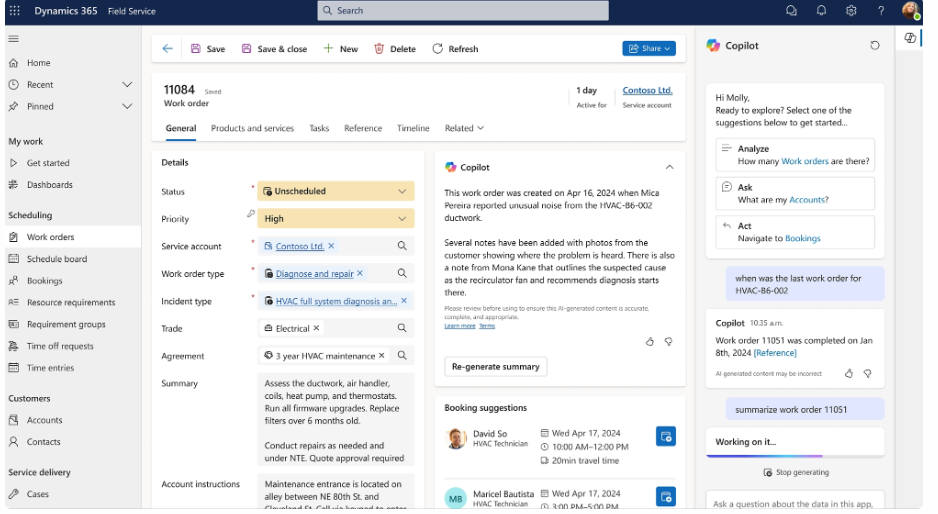
With the help of Copilot in Field Service, you can search extensive manuals and find answers to incidents very quickly.
Stay in the workflow
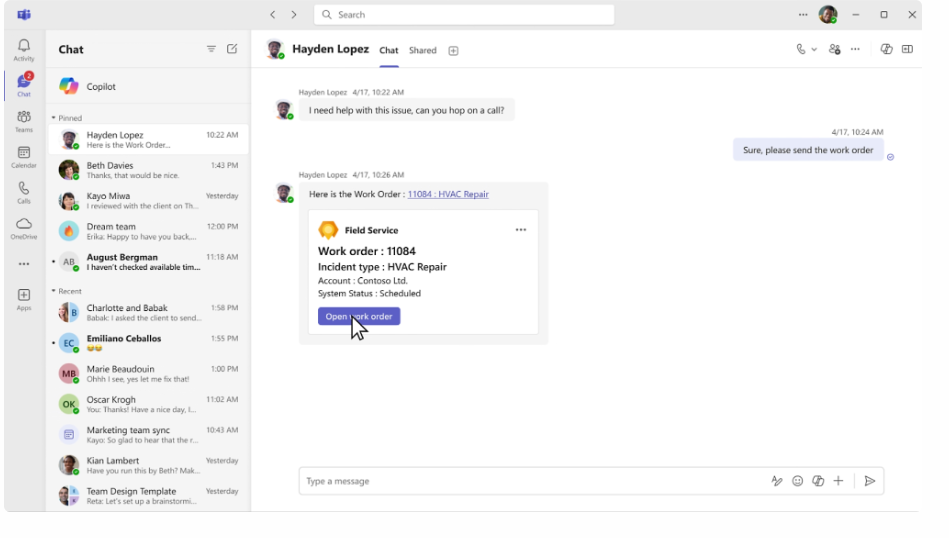
Share work order links directly through Microsoft Teams.
Take advantage of the possibilities of Artificial Intelligence
Forecast sales
Copilot helps you find work order information by interacting with natural language.
Best practices
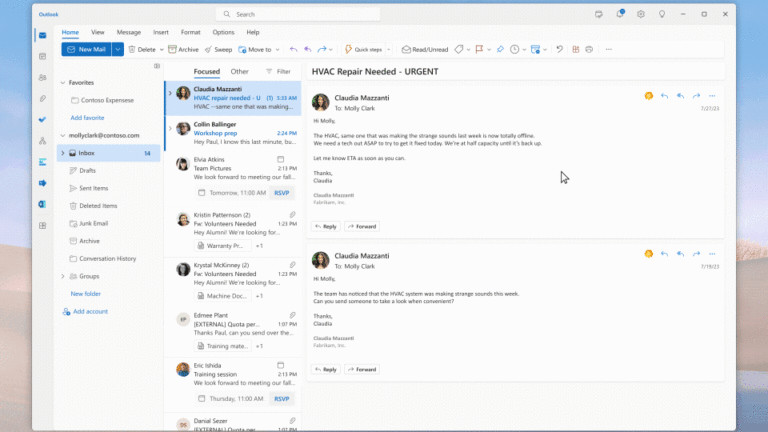
You can create customer responses using Copilot for Field Service in Outlook, creating a summary of key details and the next steps in the procedure.
Visualize your data
Task Notice
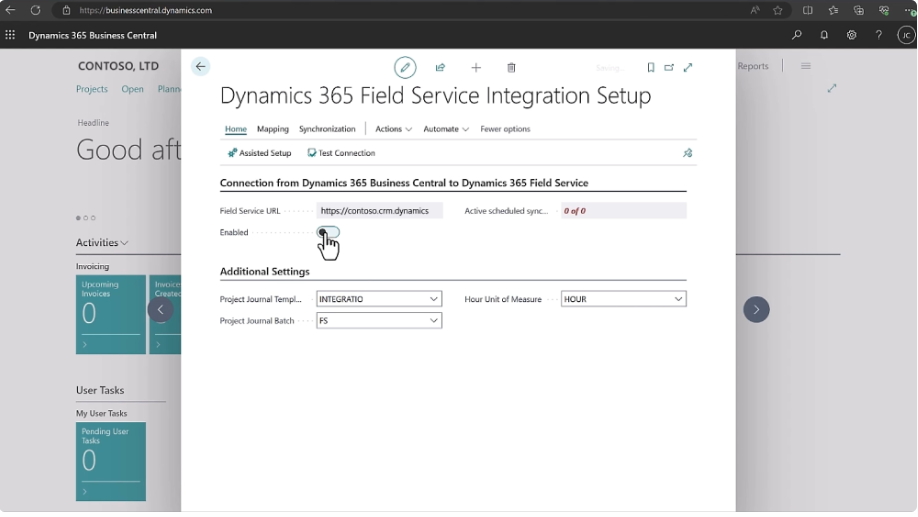
You can create financial and inventory data flows between Field Service and the Business Central ERP.
Integrations
Microsoft Dynamics 365 Field Service it integrates with various apps in the Microsoft ecosystem.
Power Platform
To create interactive reports in Power BI, workflows, or custom portals.
Dynamics 365 Sales and Business Central
Connect with the CRM and the ERP and offer the best possible customer experience.
Microsoft 365
A tool integrated into the Microsoft 365 business app suite.
Copilot
Dynamics 365 Field Service already incorporates some Artificial Intelligence capabilities with Copilot.